iOS 27 vs iOS 26 Battery Life on iPhone 13: The Real Test for Nigerian Men
The iPhone 13 originally comes with iOS 15, which can be upgraded to iOS 26 and 27 beta versions, and it continues to receive full support from Apple’s latest software updates. But after upgrading it and with use, it can affect the battery performance either way, depending on usage and other variable conditions.
Without taking anything away from the iPhone 13, it should be noted that it remains a highly reliable smartphone featuring the A15 Bionic chip, a vibrant 6.1-inch Super Retina XDR display, and excellent battery life when you get it new. One thing you will notice, however, is that every tech site that reviews the battery performance of the latest upgrades of iOS 27 and iOS 26, does so in an air-conditioned office or lab and other controlled environments that rarely reflect the real-life situation of an average Lagosian that uses his phone daily in different environmental and usage conditions.
The Latest iOS 27 Upgrade
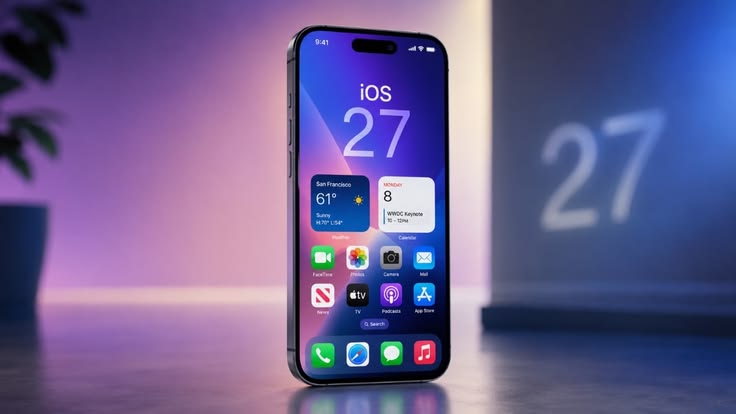
The iOS 27 will be released in mid September, 2026 with the launch of the new iPhone 18 lineup. Before its full release, a public beta version became available this July and a final Release Candidate will roll out to developers in early September. This upgrade is compatible with all iPhone models from the iPhone 11 upwards.
Apple updated its core CPU Scheduler to deliver up to 30% faster app launch speeds and smoother system animations. A CPU scheduler does the function of determining what process or thread gets to execute on a processor core at any given time. The iPhone 13 benefits from this upgrade by responding faster. Reviewers on Macworld noted that navigation in iOS 27 feels incredibly instant and this presents an incredible stability stat for an early beta phase.
Another noticeable enhancement is that background optimizations boost AirDrop sharing speeds by up to 80% from the preceding iOS 26.
Siri and Apple Intelligence
Apple are not kidding around with their AI upgrades on the iOS 27, in this upgrade, Siri shifts into a fully contextual assistant, thereby being able to track cross-app actions, on-screen data parsing and personal workflow management.
There is also a Camera Siri Mode, which is a standalone camera layer that incorporates Visual Intelligence during use by directly allowing rapid text, food, object or plant scanning. The native iOS 27 native Photos app incorporates spatial reframing and extends tools to expand boundaries or alter image angles through the use of generative AI.
In addition to its AI upgrade, users who upgrade to iOS 27 can build intricate automation workflows simply by typing or using voice commands.
Further Interface Refinement
With iOS 27, Apple made an effort to address past usability complaints, they added a liquid glass slider that improves the appearance and lets you customize the transparency and intensity of the glass design.
Another addition users noticed with this upgrade was the decoupling of the alarm and timer volumes from the main system ring tone volume within the sound settings menu. Also, new customization adjustments permit an extra minimalist clock font layout and a clear control over the media playback panel.
Current Caveats & Beta Performance
While day-to-day usability is snappy, testers tracking the early developer builds on YouTube caution against installing it on primary devices. Heavy on-device background indexing creates temporary thermal spikes and rapid battery drain during the first few days of deployment. Advanced AI features remain restricted to the iPhone 15 Pro, iPhone 16 series, and newer flagship models
Testing the Battery Life of the iOS 26 and iOS 27 on the iPhone 13
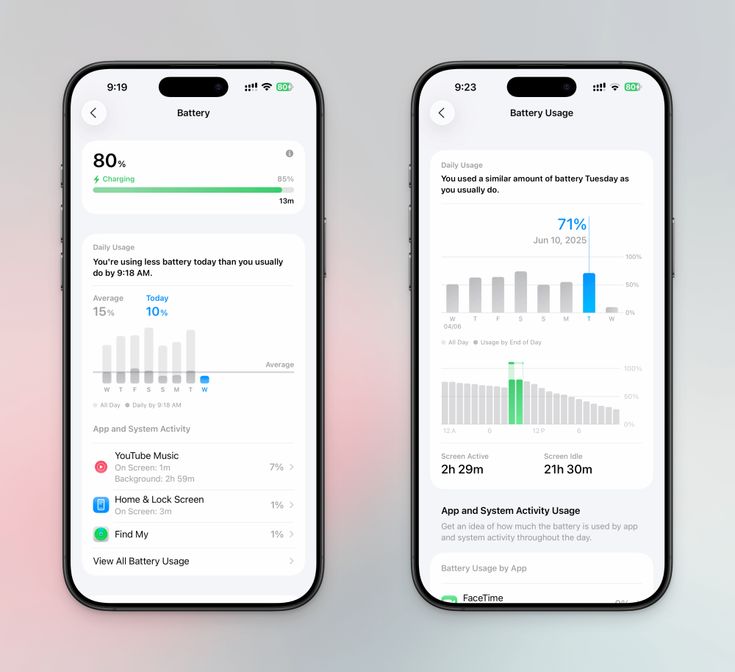
For a user living in Nigeria with iPhone 13, the most vital question in your mind right now will be how upgrading to iOS 27 might fare on your phone. The reality is quite different from what you might get in a lab.
The average Nigerian user spends between 4 to 5 hours on the internet, with WhatsApp as the predominant platform, and other social media platforms and professional networking accounting for 93% usage rate among internet users. Apart from social media use, other apps on the phone are constantly being used together with heavy background apps.
With iOS 26, the first 24 – 48 hours after installation feature severe drain and overheating due to heavy background indexing and intense “liquid glass” animations. After this surge, the iPhone 13 battery usage stats do not totally return to pre-installation levels. This is because there are added power needs for the continuous background indexing and real time optimization that come with the upgraded features. After upgrading to the Operating System, actively using the new Siri AI feature not only accelerates battery drain but also leads to significantly higher heat generation.
Another factor to consider is the screen brightness settings. The display brightness is the biggest energy consumer. Keeping brightness at maximum or using features like live wallpapers drains power. While the average ambient in the UK is around 101.2 W/m², the Nigerian environment has much higher solar radiation, averaging 900 to 1,400 W/m². This will mean that a user in Nigeria will need to keep their screen brightness at a higher level in order to be able to see their screen and use their phone. This inadvertently causes a higher rate of battery usage. This does not bring the best news to a Nigerian iPhone 13 user who wants to upgrade his Operating System to iOS 27.
If you use an iPhone 13 and you already have iOS 26, you might need to take a raincheck on upgrading to iOS 27 in Nigeria because of the atmospheric temperature. With an average climatic temperature of 27°C and a coastal higher temperature of 33°C, this upgrade will hit your phone’s battery life harder. In the UK, the temperature might work to your favor with a temperature range of between 9°C and 11°C.
Location services and poor network signal can be another challenge for iPhone 13 users in Nigeria who are thinking about upgrading to iOS 27. Despite network providers like MTN, Globacom, and Airtel maintaining healthy network availability, Nigerians experience network downtimes and a generally low internet speed. This is as a result of the poor signal, and this phenomenon will cause the phone’s internal antenna to use more power to connect and use the internet. If you are in the UK, which generally has a better infrastructure, you may not experience this peculiar issue.
Furthermore, the iPhone 13 hardware profile is another factor a user should look at before committing to this upgrade. The phone comes with a 3240 mAh battery, which might come off short when compared to the average 5000 mAh battery that is installed on current Android phones, but when compared to phones in the iOS ecosystem, you will notice that it is basically average. With an average of 500 charge cycles, the iPhone 13, which debuted in 2021, is over 5 years old. With about 300 average charge cycles on phones per year, a user with an iPhone 13 should have accumulated 1500 charge cycles. Apple’s official rating stipulates that at 500 charge cycles, an iPhone will retain 80% of its battery power. Making an inference, this will mean that as of 2026, the iPhone 13 will be retaining only about 40-50% of its original battery strength.
Captain’s Verdict
From the facts above, it is clear that upgrading to iOS 27 is not the ideal option for a Nigerian user who is using iPhone 13. iOS 26 is optimal for this phone whichever way you look at it.
One other not-so-encouraging fact is that most of the advanced AI features that are being released with the iOS 27 will not be available to the iPhone 13, as it is restricted to only iPhone 15 users and later models.
With the constant high temperature that will affect your battery charge durability and the fact that Nigeria’s epileptic power supply might not give you easy access to a constant power supply for recharging the phone, an upgrade to iOS 27 is simply an added burden on your phone’s battery load. It does not justify the hype; if you are already running iOS 26 on your iPhone 13, do not consider this upgrade.
If you use another model of iPhone such as the iPhone 15 or higher, you can join the Apple Beta Software Program or go to your phone settings through Settings>General>Software Update> Beta Updates and select the iOS 27 Developer Beta to participate or join a waitlist.